Why Your GPS Tracker Stopped Reporting A Troubleshooting Guide
When a tracker stops reporting, we know the first question is usually simple. What happened, and how do you get visibility back? The good news is that a tracker that stops reporting is not automatically a failed tracker.
There are several simple checks we recommend before replacing hardware. Starting with the right one can save you time and help you get your fleet back in view faster.
Start with the timestamp. Then check power, GPS reception, communication, placement, account status and reporting interval. We recommend leaving device replacement until those checks are complete.
This approach works whether the tracker is installed in a van, plugged into an OBD II port, mounted on a trailer or attached to equipment. The hardware changes, but the diagnostic logic stays straightforward.
First Check the Last Reported Location
Why is my tracker showing an old location instead of nothing
A stale location and an offline tracker are not the same problem. Start by checking the last reported timestamp. If the device has reported recently but the asset has moved, you may be looking at a reporting delay or coverage gap. If nothing has arrived since a specific time, continue with the power and connection checks.
The timestamp is one of the most useful clues in your Tracker Systems account. It can tell you whether the tracker is reporting on a schedule you did not expect, whether reporting stopped at a specific moment, or whether a location was collected earlier and delivered later.
A trailer tracker that reports once a day can look broken when you expect live updates. A vehicle tracker that normally reports frequently but suddenly shows yesterday's timestamp needs a different check.
GPS Reception and Cellular Communication Are Different
GPS determines the tracker's position. Cellular or satellite communication carries that information back to the tracking platform. A tracker can have one without the other. If it cannot see enough of the sky, it may not get a fresh position. If it cannot reach its network, it may know the position but be unable to report it.
Think of the tracker as doing two jobs. It figures out where it is, then sends that information back so you can see it.
That is why the symptoms can look identical while the fixes are different. A tracker in a parking garage may not get a fresh GPS position. A remote tracker may have a clear sky view but limited cellular coverage. Our Vehicle Tracking Installation Guides explain placement and installation for each device family.
Check the Power Before You Blame the Device
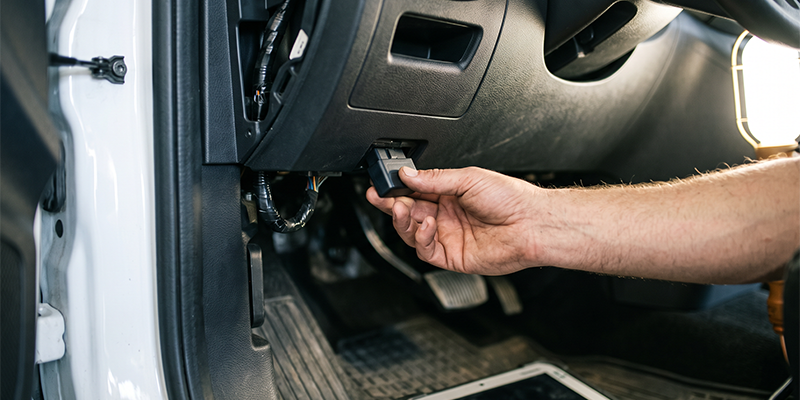
We recommend checking power early because the fix may be simple.
Hardwired trackers
For one of our hardwired trackers, start by checking whether recent vehicle service may have disturbed the connection. A vehicle battery issue, fuse problem or loose connection can interrupt reporting.
You can safely check what is visible, but we do not recommend probing, splicing or modifying vehicle wiring as a troubleshooting step. Electrical work should be handled by a qualified installer. For our hardwired units, use the Installed GPS Tracking Device Installation Guide.
OBD II trackers
For one of our plug in trackers, start by making sure the unit is fully seated in the OBD II port. A service appointment can disturb that connection. Our OBD GPS Tracker Installation Guide covers device specific troubleshooting for power, GPS visibility, cellular communication and account setup.
Battery powered trackers
Our battery powered trackers are designed for assets that may not have a constant power source. If reporting stops, check the battery, especially after heavier use or more frequent reporting. Our GPS Tracker Battery Life guidance explains how reporting frequency affects battery life.
Solar powered trackers
Our solar powered trackers depend on useful sunlight to keep the device charged. Shade, dirt, snow or long periods indoors can reduce available charging. Our Solar Powered GPS Tracking resources cover the right deployment approach.
Check Cellular Coverage

Can bad cellular coverage affect GPS tracking
Yes, but cellular coverage does not usually stop the tracker from knowing where it is. It can stop the location report from getting back to the platform. If a tracker repeatedly goes quiet in the same area and starts reporting again when the asset moves, the location pattern points to a coverage issue rather than a failed device.
Coverage maps are useful, but real conditions can be different. Buildings, terrain, dense vegetation and enclosed structures can interfere with communication.
If your vehicles regularly work where cellular coverage is limited, we also offer satellite capable tracking options for remote coverage needs.
Look at Placement and Installation
A tracker can stop reporting after vehicle service, equipment maintenance or a move to a new asset. That is why we recommend checking the installation before assuming the hardware has failed.
Start with the things you can safely see. Is the OBD II tracker seated? Has the device moved under metal? Is a solar panel covered? Is the device inside an enclosure that blocks GPS visibility? Our Alerts and Automation tools can also help make power disconnections and other activity visible.
For anything beyond a visual check or reseating a plug in device, use a qualified installer or contact support. Do not bypass a fuse, open the tracker housing or modify vehicle wiring just to test whether the device works.
Check the Account and Reporting Interval
Not every reporting problem is happening at the truck. Sometimes the account, service plan or platform setup needs attention.
Start by confirming that the service plan is active and the device is assigned to the correct vehicle or asset in your account. You can also review our GPS Tracking Software to see how tracking information is managed.
How Do You Know if the Tracker Has Actually Failed
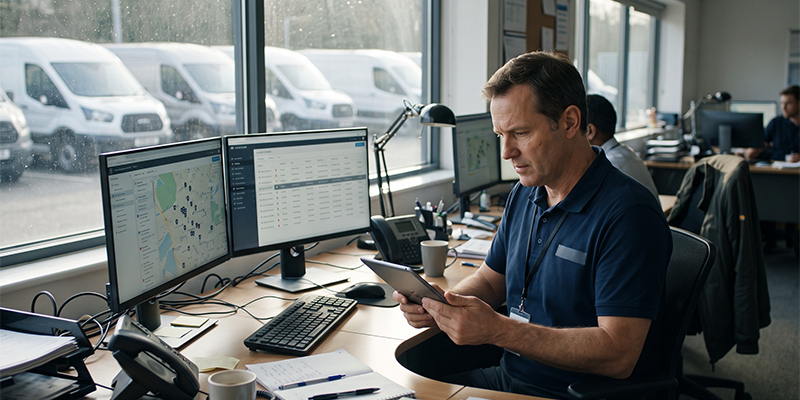
We recommend considering device failure only after you have ruled out the expected reporting interval, power, GPS visibility, communication, placement and account status. If the device has confirmed power but still shows no activity, contact us before replacing it so we can help determine whether the issue is hardware or service.
Like any field hardware, trackers can age. Internal batteries can lose capacity, and outdoor devices can experience physical or environmental damage.
The 2G and 3G network shutdowns that affected older hardware are now a historical issue. Our current tracking options use newer network technology, so we do not present those past shutdowns as an imminent risk to current Tracker Systems hardware. If replacement becomes the right answer, see Signs Your Business Needs to Upgrade Its GPS Tracking System If the diagnosis points to replacement, see
When to Stop Checking and Ask for Help
Sometimes the smartest troubleshooting step is knowing when to stop and let us help.
- Your next check would require touching vehicle wiring or electrical components.
- Several trackers stopped reporting at the same time.
- You have confirmed power, coverage, placement and account status, but the device still will not report.
- The tracker needs a reset or device specific procedure that is not documented for your hardware.
Several devices going dark together is an important clue. Before inspecting every tracker individually, contact us so we can help determine whether the issue points to the account, service or platform rather than the hardware.
When you call, have the device serial number, asset name, last reported timestamp and the checks you completed.
Reset procedures can vary by device, so we do not recommend using a generic sequence. If your tracker needs a reset, we can point you to the correct procedure for that specific hardware. If you have worked through the checks and your tracker is still offline, contact Tracker Systems and tell us what you are seeing.
FAQs
1. Why is my GPS tracker offline
Power, coverage, placement and account status are common places to start. Check the last reported timestamp first, then work through the causes in order. A device that is genuinely offline is different from one that is simply reporting at a longer interval.
2. Does a GPS tracker work in an underground parking garage
GPS reception can be blocked in enclosed structures such as underground garages because the device needs a view of the sky. It may begin reporting again after the vehicle exits. A repeated location pattern points to the environment rather than automatic device failure.
3. My asset tracker only reports once a day. Is that a fault
Usually not. Battery and satellite trackers may be configured to report at longer intervals to preserve power or fit the service plan. Check the device configuration before treating the schedule as a fault.
4. Can a driver disable a GPS tracker
A plug in tracker can be unplugged, and a device can also be moved or covered. Power disconnection and off hours alerts can help make that visible. If you suspect tampering, review the event history and contact support.
5. When should I replace my GPS tracker
Consider replacement after power, coverage, placement, account status and reporting interval have been ruled out and the device still shows no activity. Aging batteries and environmental damage can also point to end of life. Contact support first.
To know more, visit the website - https://www.trackersystems.net/news/why-your-gps-tracker-stopped-reporting-a-troubleshooting-guide/


Comments
Post a Comment